
Nissan Versa (N17): Diagnosis system (bluetooth control unit)
Diagnosis Description
The Bluetooth control unit has two diagnostic checks. The first diagnostic check is performed automatically every ignition cycle during control unit initialization. The second diagnostic check is performed by the technician using the steering wheel audio control switches prior to trouble diagnosis.
Bluetooth CONTROL UNIT INITIALIZATION CHECKS
- Internal control unit failure
- Bluetooth antenna connection open or shorted
- Steering wheel audio control switches [
 (PHONE/SEND),
 (PHONE/END)] stuck closed
 - Vehicle speed pulse count
- Microphone connection test (with playback to operator)
- Bluetooth inquiry check
OPERATION PROCEDURE
1. Turn ignition switch to ACC or ON.
2. Wait for the Bluetooth system to complete initialization. This may take up to 20 seconds.
3. Press and hold the steering wheel audio control switch (PHONE/SEND) button for at least 5 seconds. The Bluetooth
system will begin to play a verbal prompt.
(PHONE/SEND) button for at least 5 seconds. The Bluetooth
system will begin to play a verbal prompt.
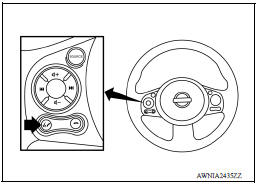
4. While the prompt is playing, press and hold the steering wheel
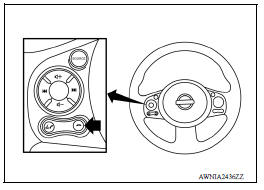
audio control switch  (PHONE/END)
button until you hear the
"Diagnostics mode" prompt. The Bluetooth system will sound a
5-second beep.
(PHONE/END)
button until you hear the
"Diagnostics mode" prompt. The Bluetooth system will sound a
5-second beep.
5. While the beep is sounding, press and hold the steering wheel
audio control switch  (PHONE/END)
button again until you
hear prompts.
(PHONE/END)
button again until you
hear prompts.
6. The Bluetooth system has now entered into the diagnostic mode. Results of the diagnostic checks will be verbalized to the technician. Refer to AV "Work Flow".
7. After the failure records are reported, an interactive microphone test will be performed. Follow the voice prompt. If the microphone test fails, refer to AV "Work Flow".
Work Flow
| Failure Message | Action |
| "Internal failure" | Replace Bluetooth control unit. Refer to AV "Removal and Installation". |
| "Bluetooth antenna open" | 1. Inspect harness connection. 2. Replace Bluetooth antenna. Refer to AV "Removal and Installation". |
| "Bluetooth antenna shorted" | |
| "Phone/Send for Hands Free System is stuck" | Check steering wheel audio control switches. Refer to AV "Diagnosis Procedure"." |
| Proce" Phone/End for the Hands Free System is stuck" | |
| "Microphone test" (failed interactive test) | 1. Inspect harness between Bluetooth control unit and microphone. 2. Replace microphone. Refer to AV "Removal and Installation". |
ECU DIAGNOSIS INFORMATION
AUDIO UNIT
Reference Value
TERMINAL LAYOUT
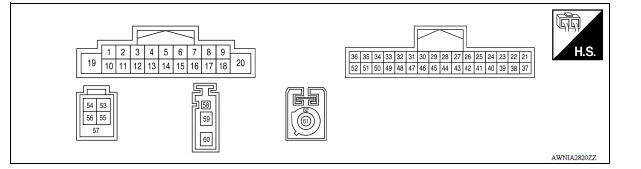
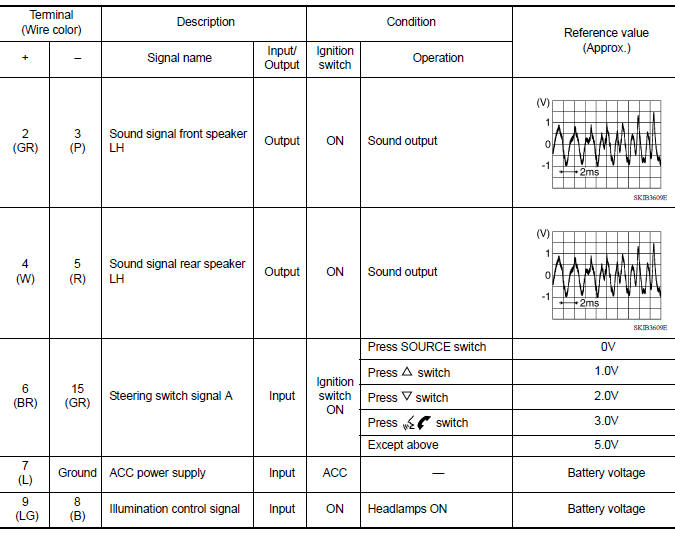
PHYSICAL VALUES
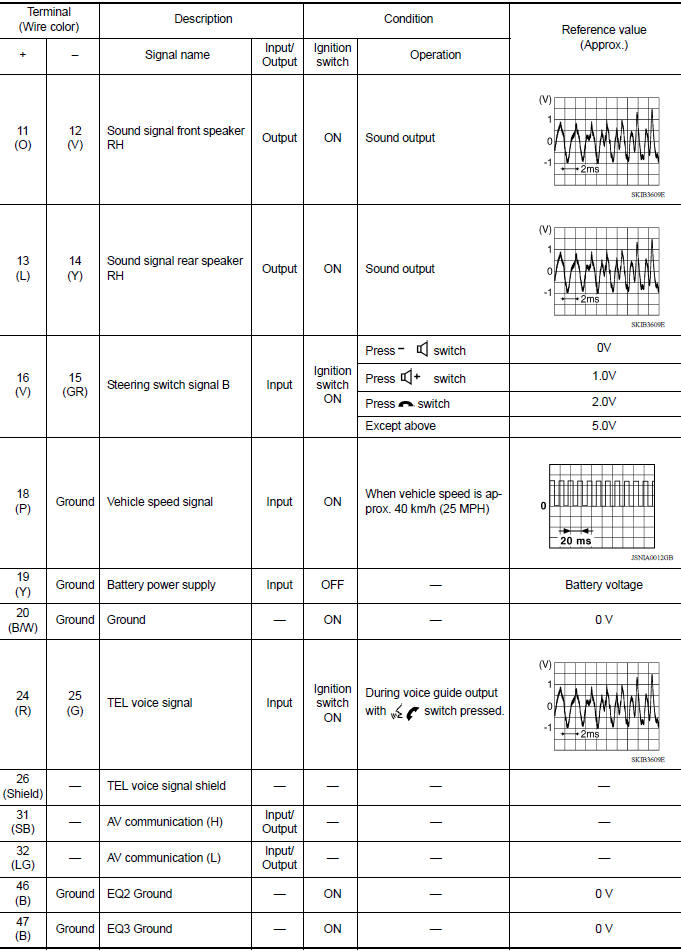
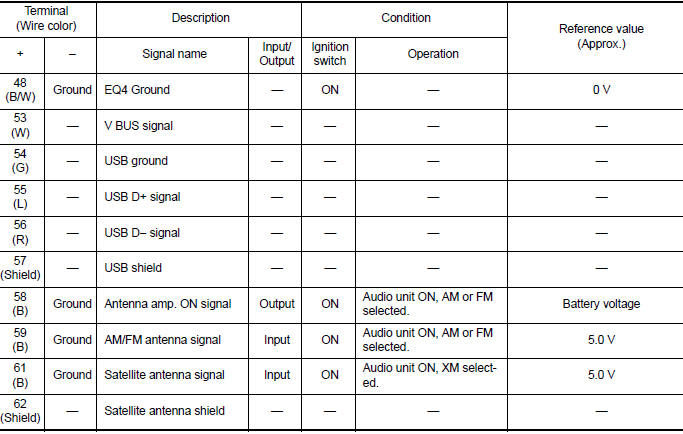
BLUETOOTH CONTROL UNIT
Reference Value
TERMINAL LAYOUT
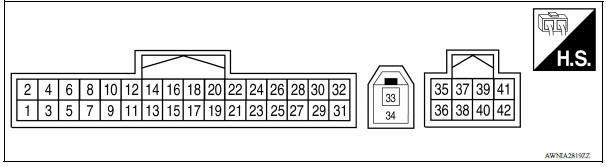
PHYSICAL VALUES
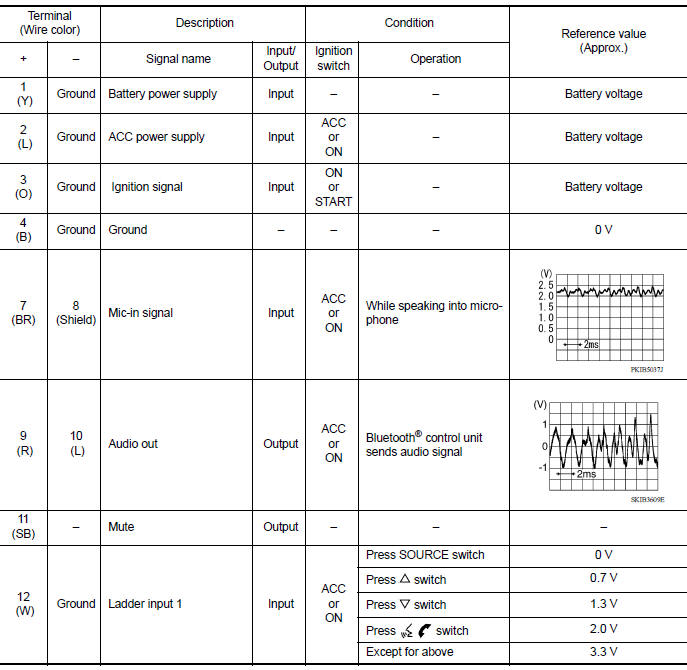
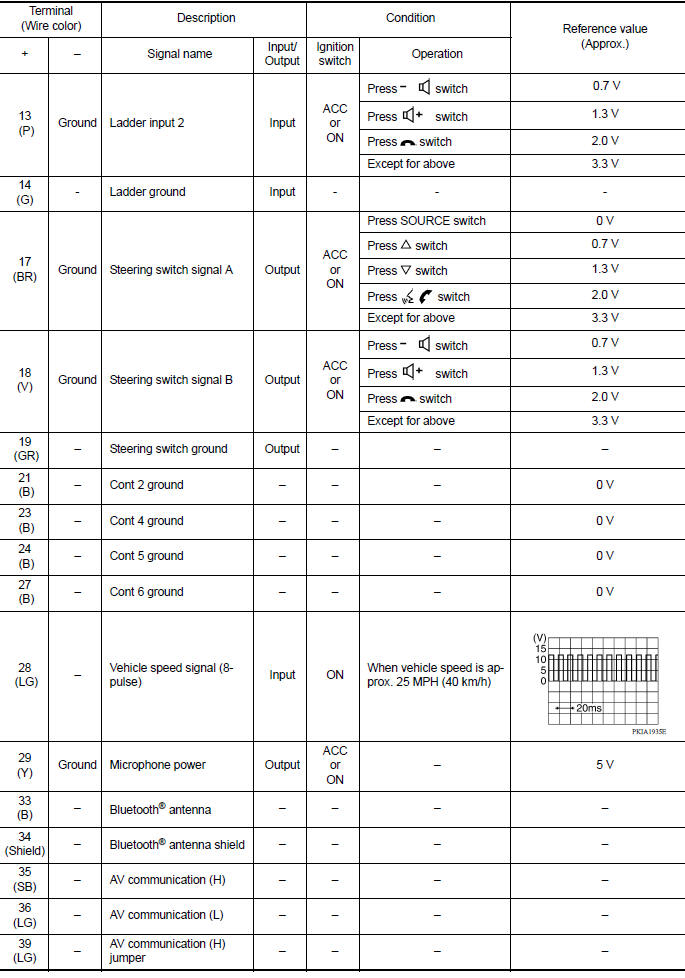
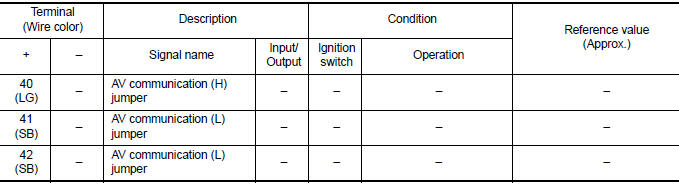
WIRING DIAGRAM
DISPLAY AUDIO
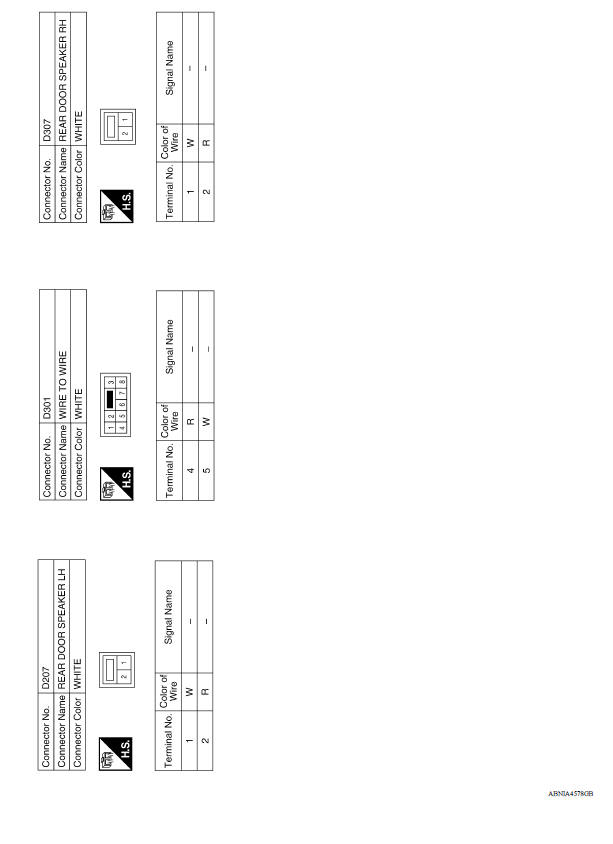
Wiring Diagram
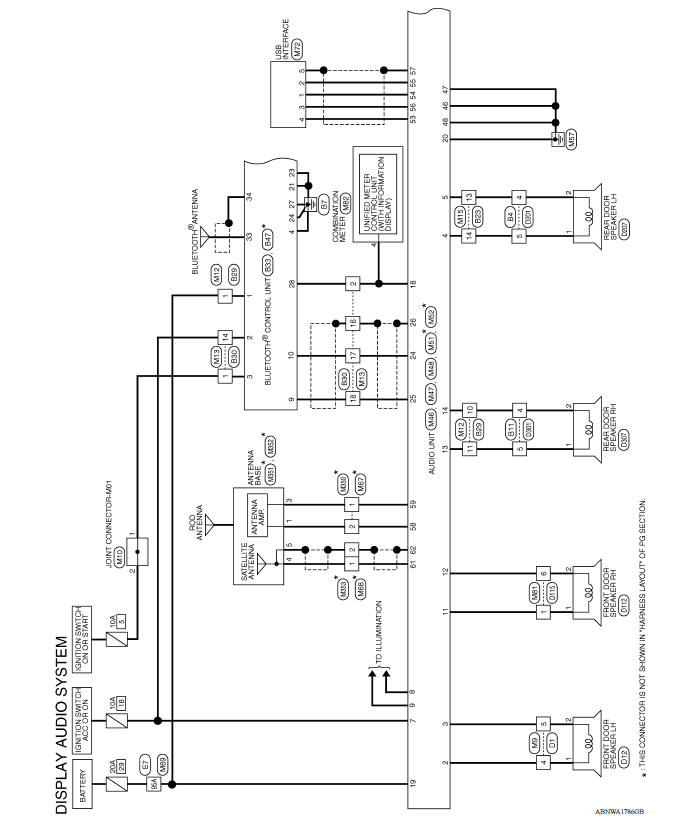
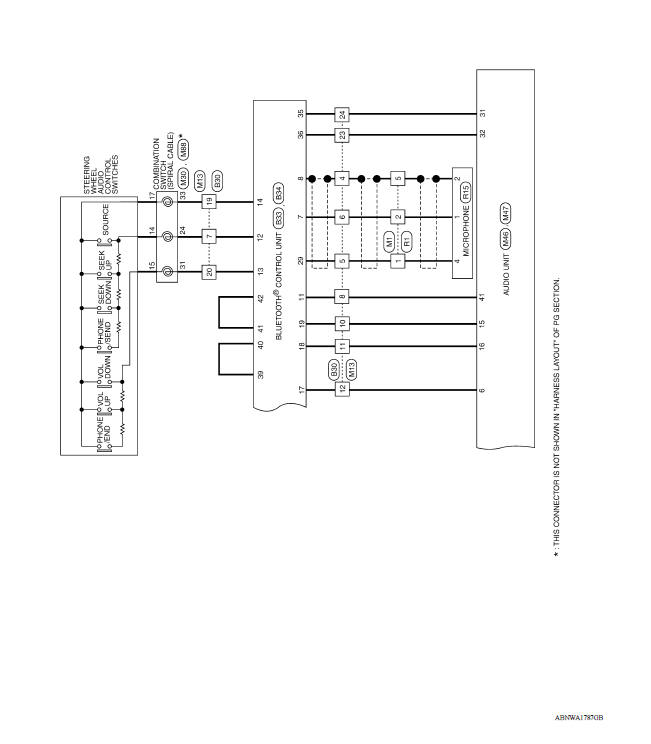
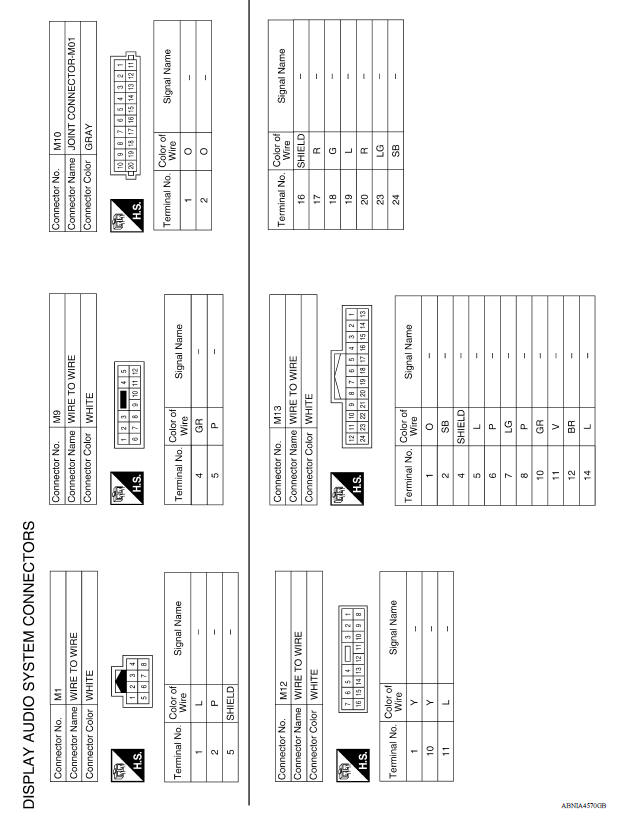
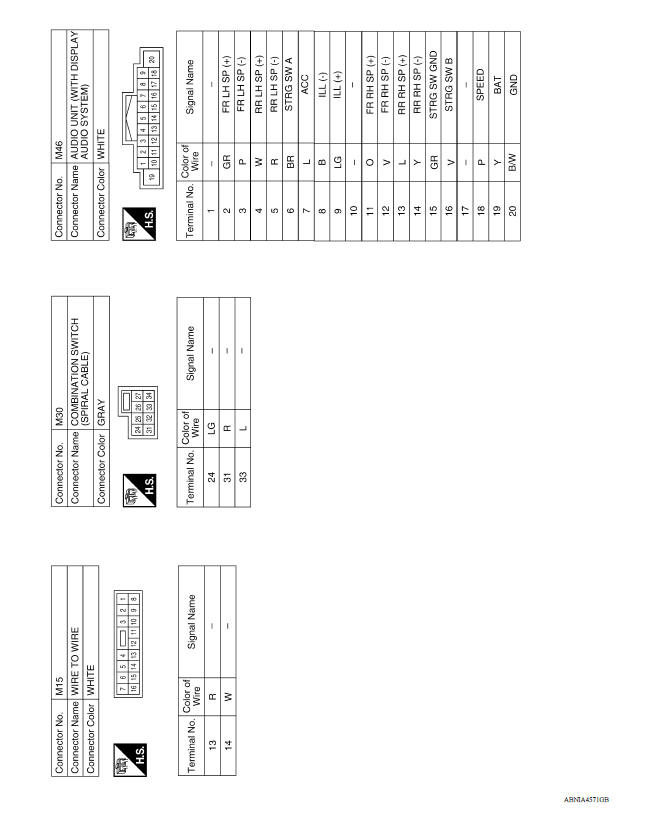
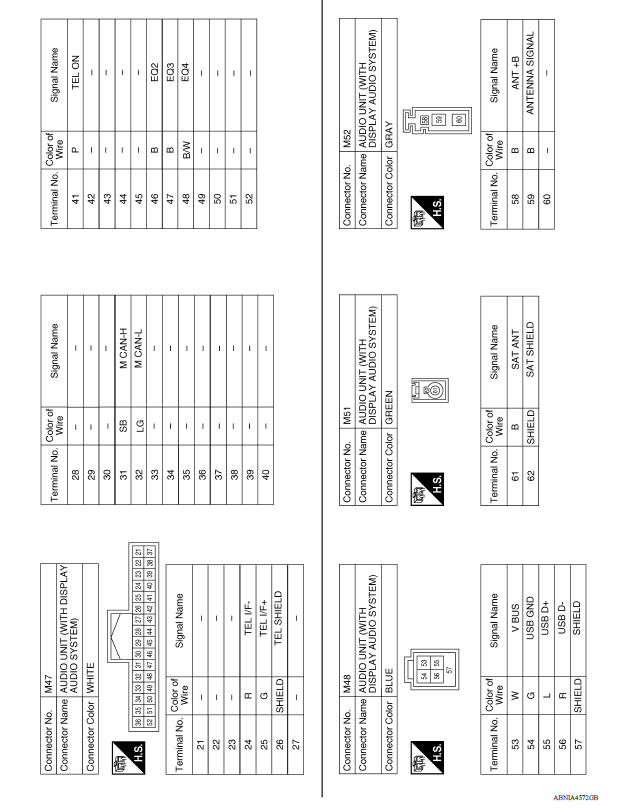
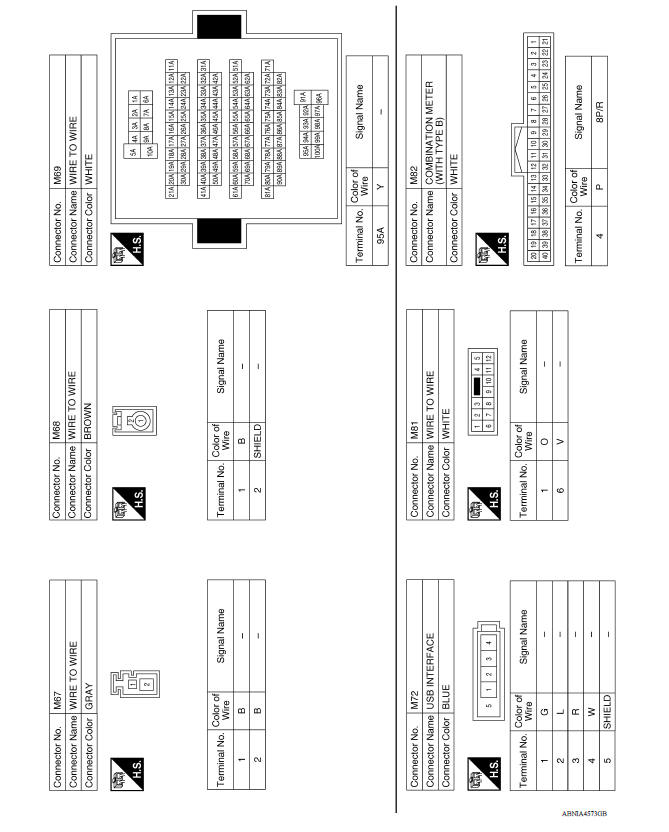
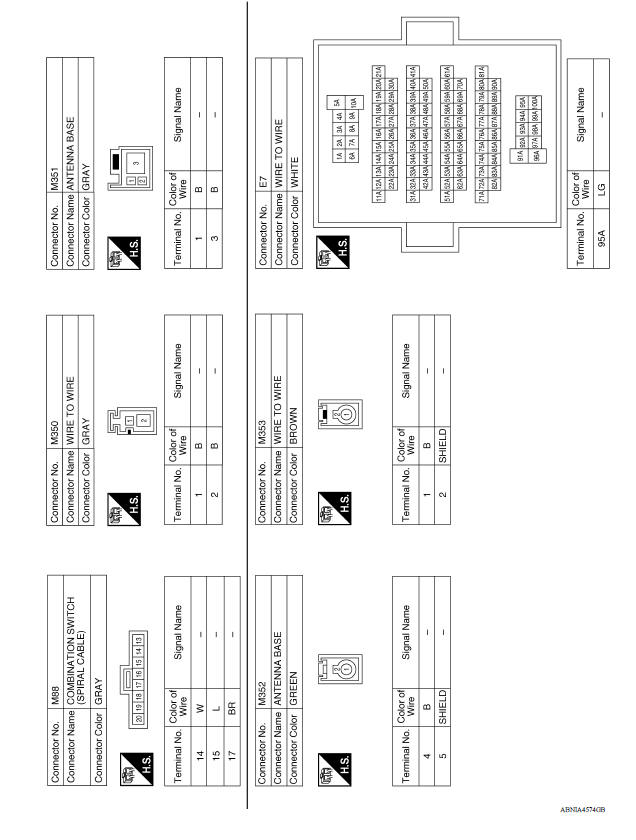
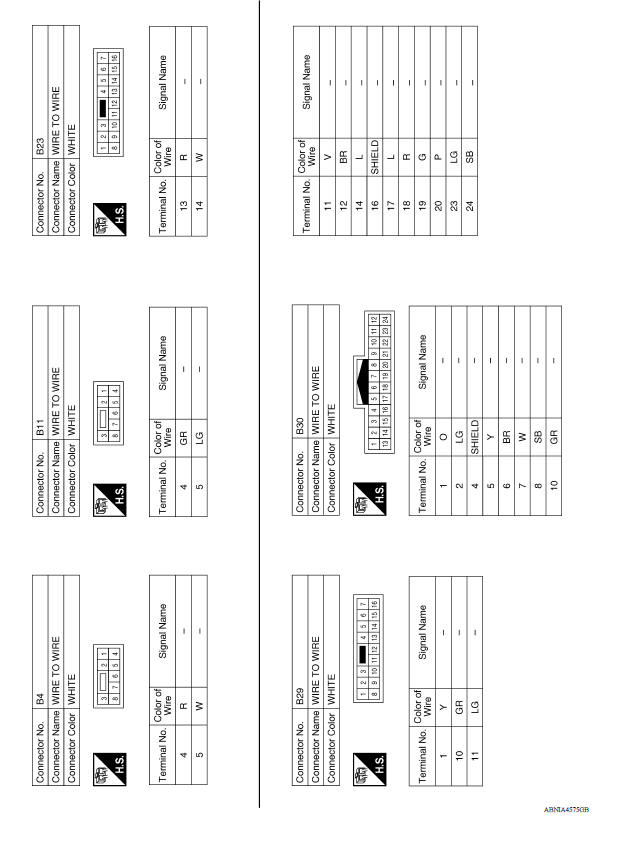
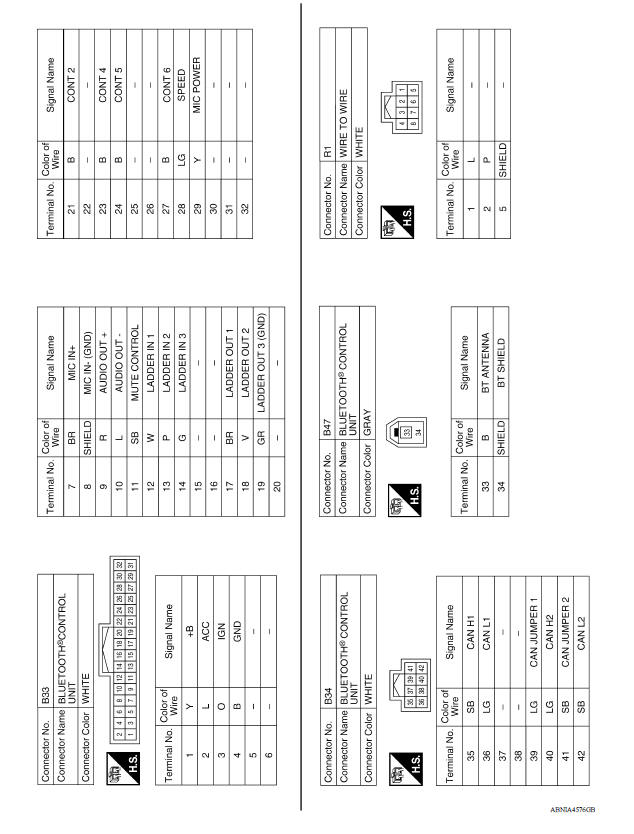
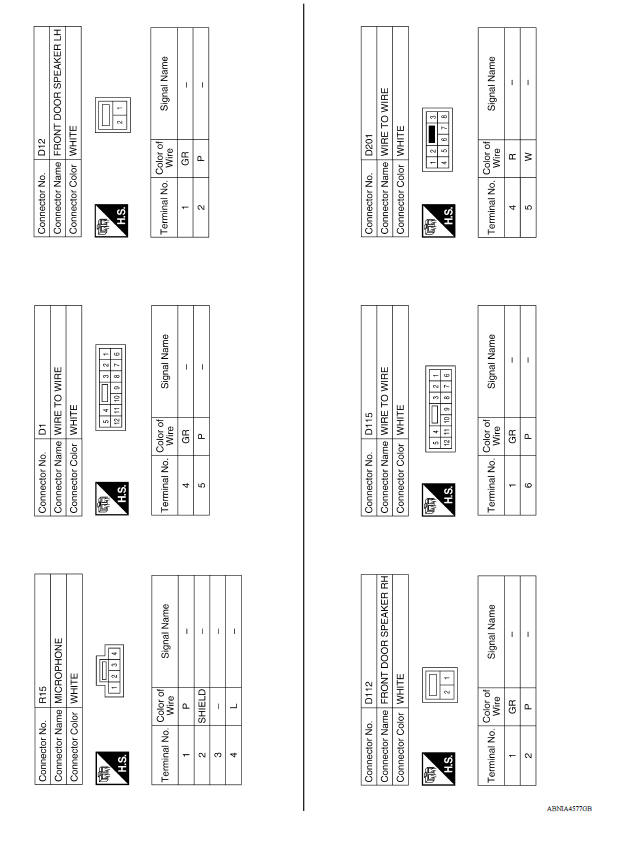
BASIC INSPECTION
 Diagnosis system (audio unit)
Description The audio unit on board diagnosis performs the functions listed in the table below: On Board Diagnosis Function METHOD OF STARTING 1. Turn the ignition ON. 2. Turn the audio s ...
Diagnosis and repair workflow
Work Flow OVERALL SEQUENCE DETAILED FLOW 1.GET INFORMATION FOR SYMPTOM Get detailed information from the customer about the symptom (the condition and the environment when the incident/ma ...
Other materials:
Steering wheel
Tilt operation
Push the lock lever 1 down and adjust the
steering wheel up or down 2 to the desired
position.
Pull the lock lever 1 up to lock the steering
wheel in place.
WARNING
Do not adjust the steering wheel while
driving. You could lose control of your
vehicle and cause an accid ...
P072D Stuck in 2GR
DTC Logic
DTC DETECTION LOGIC
DTC
Trouble diagnosis name
DTC detection condition
Possible causes
P072D
Stuck in Gear 2
The following diagnosis conditions
are met and the detection
conditions continue for 0.5 seconds
or more.- Diagnosis condition
- Shiftin ...
Categories
- Manuals Home
- Nissan Versa Owners Manual
- Nissan Versa Service Manual
- Video Guides
- Questions & Answers
- External Resources
- Latest Updates
- Most Popular
- Sitemap
- Search the site
- Privacy Policy
- Contact Us

0.0118