
Nissan Versa (N17): IPDM E/R (Intelligent power distribution module engine room)
Reference Value
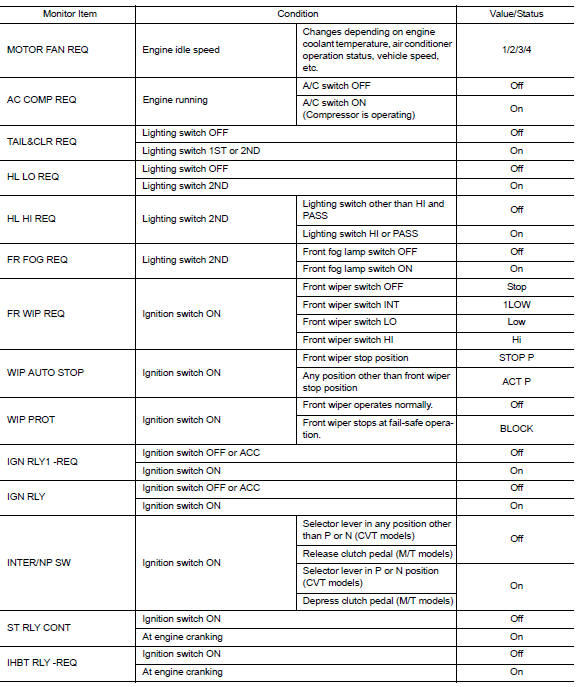
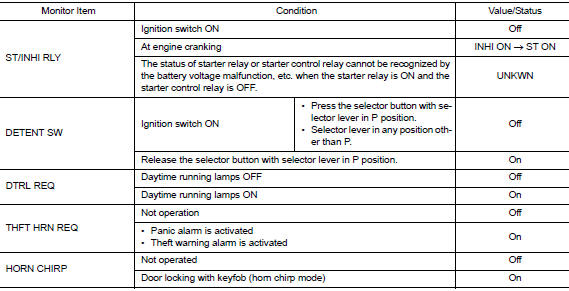
VALUES ON THE DIAGNOSIS TOOL
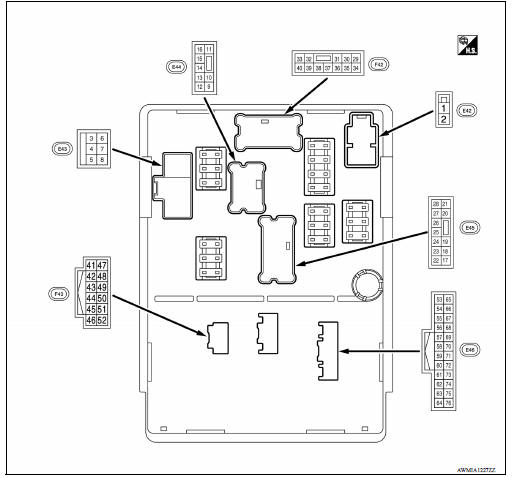
TERMINAL LAYOUT
PHYSICAL VALUES
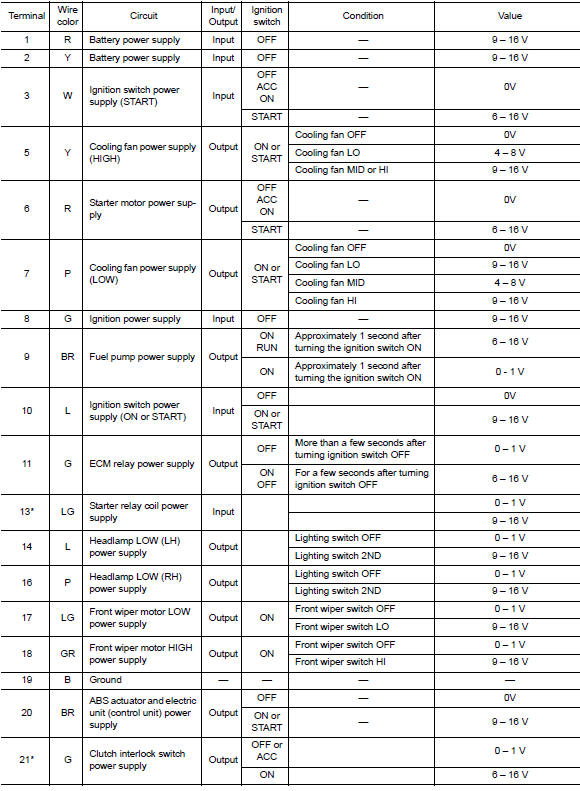
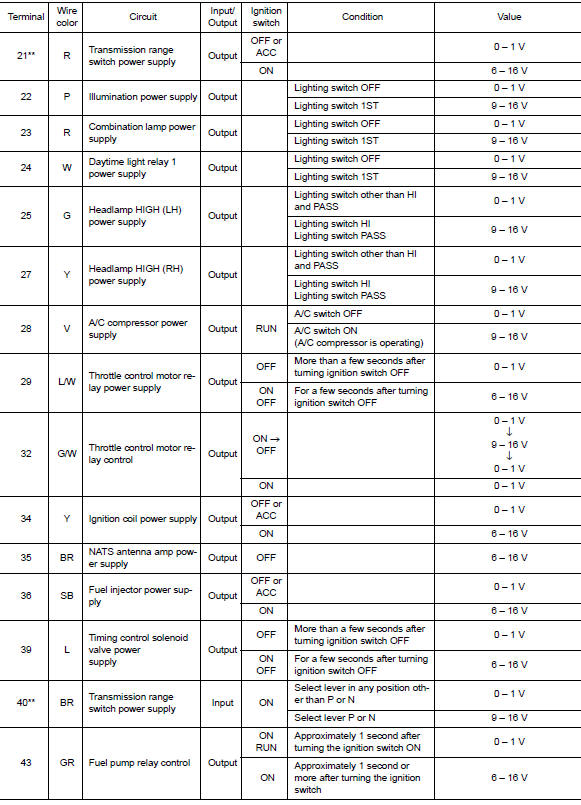
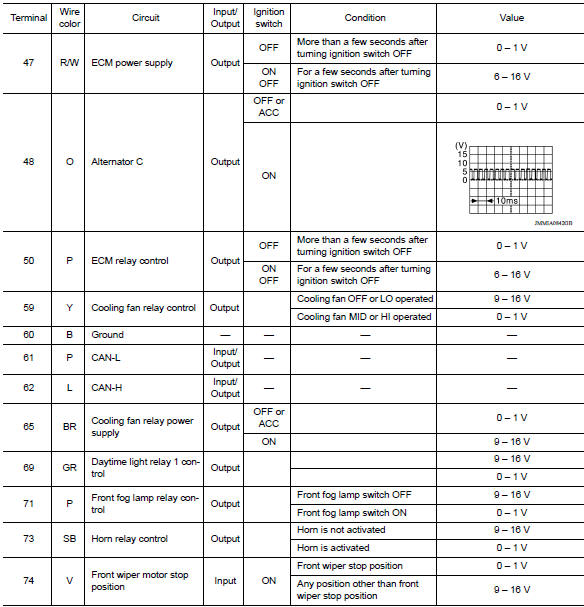
*:M/T
**:CVT or A/T
Fail-Safe
CAN COMMUNICATION CONTROL
When CAN communication with ECM and BCM is impossible, IPDM E/R performs fail-safe control. After CAN communication recovers normally, it also returns to normal control.
If No CAN Communication Is Available With ECM
If No CAN Communication Is Available With BCM 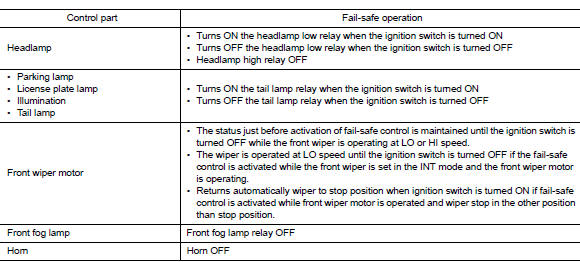
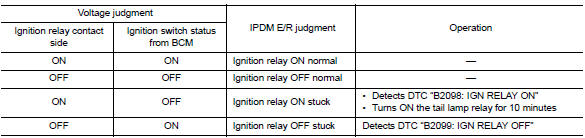
IGNITION RELAY MALFUNCTION DETECTION FUNCTION
- IPDM E/R monitors the voltage at the contact circuit of the ignition relay inside and ignition switch status from BCM via CAN communication.
- IPDM E/R judges the ignition relay error if the voltage differs between the contact circuit and the ignition switch status from BCM via CAN communication.
- If the ignition relay cannot turn OFF due to contact seizure, it
activates the tail lamp relay for 10 minutes to
alert the user to the ignition relay malfunction when the ignition switch is
turned OFF.
FRONT WIPER PROTECTION FUNCTION
IPDM E/R detects front wiper stop position by a front wiper stop position signal.
When a front wiper stop position signal is in the conditions listed below,
IPDM E/R stops power supply to wiper
after repeating a front wiper 10 seconds activation and 20 seconds stop.
NOTE: This operation status can be confirmed on the IPDM E/R "Data Monitor" that displays "BLOCK" for the item "WIP PROT" while the wiper is stopped.
DTC Index
NOTE:
- The details of time display are as follows.
- CRNT: A malfunction is detected now.
- PAST: A malfunction was detected in the past.
- IGN counter is displayed on FFD (Freeze Frame data).
- The number is 0 when is detected now.
- The number increases like 1 → 2 * * * 38 → 39 after returning to the normal condition whenever IGN OFF → ON.
The number is fixed to 39 until the self-diagnosis results are erased if it
is over 39.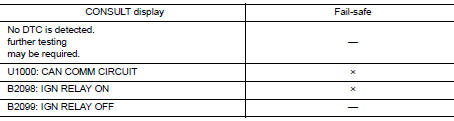
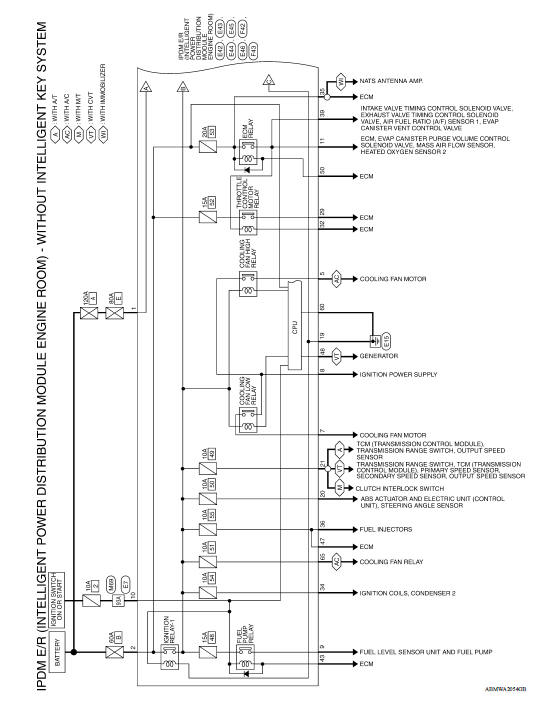
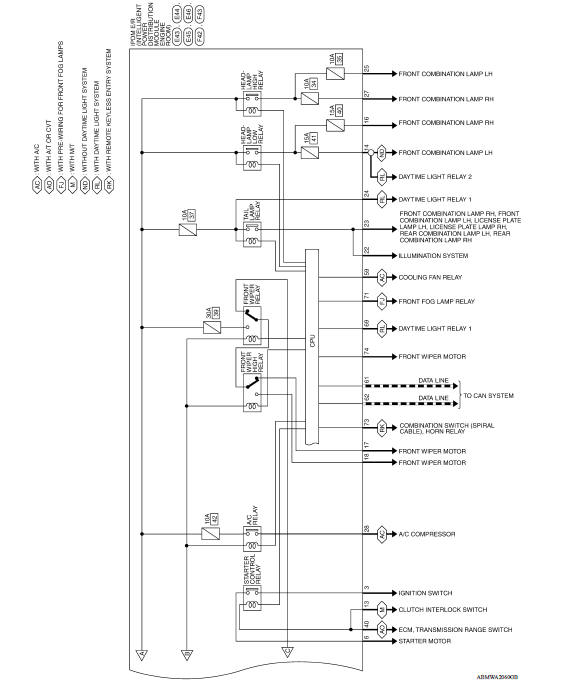
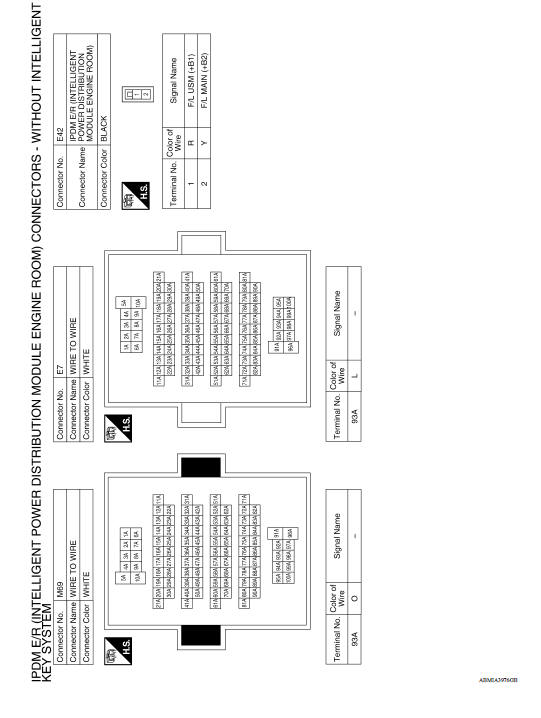
WIRING DIAGRAM
IPDM E/R (INTELLIGENT POWER DISTRIBUTION MODULE ENGINE ROOM)
Wiring Diagram
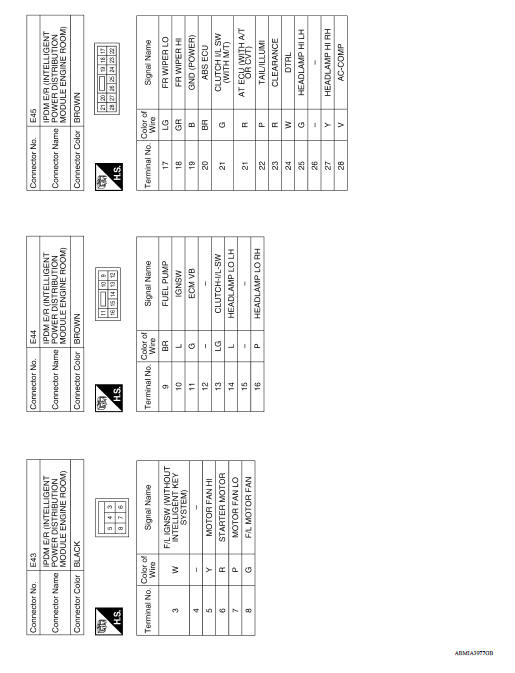
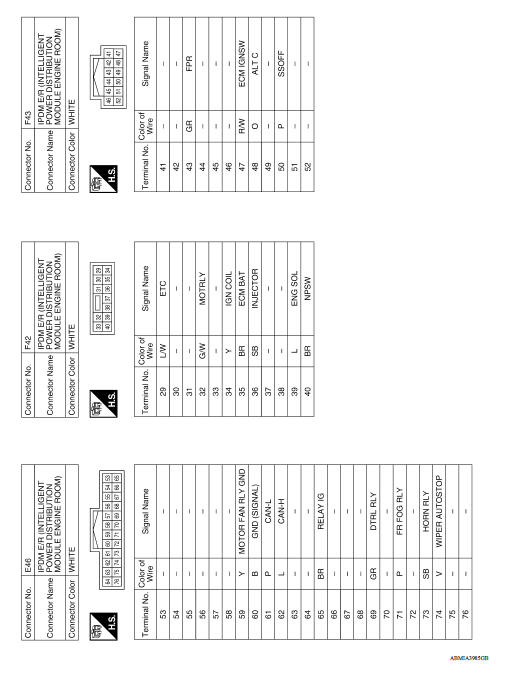
DTC/CIRCUIT DIAGNOSIS
 Diagnosis system (IPDM E/R)
Diagnosis Description AUTO ACTIVE TEST Description In auto active test, the IPDM E/R sends a drive signal to the following systems to check their operation. Front wiper (LO, HI) Parking l ...
U1000 CAN Comm circuit
Description Refer to LAN "CAN COMMUNICATION SYSTEM : System Description". DTC Logic DTC DETECTION LOGIC Diagnosis Procedure 1. PERFORM SELF DIAGNOSTIC RESULT 1. Turn ignition swi ...
Other materials:
Fuel-filler door
Opener operation
The fuel-filler door release is located below the
instrument panel. To open the fuel-filler door, pull
the release. To lock, close the fuel-filler door
securely.
Fuel-filler cap
WARNING
Gasoline is extremely flammable and
highly explosive under certain conditions.
...
Precautions when starting and driving
WARNING
Do not leave children or adults who
would normally require the assistance
of others alone in your vehicle. Pets
should also not be left alone. They
could accidentally injure themselves or
others through inadvertent operation of
the vehicle. Also, on hot, sunny days,
tempera ...
Categories
- Manuals Home
- Nissan Versa Owners Manual
- Nissan Versa Service Manual
- Video Guides
- Questions & Answers
- External Resources
- Latest Updates
- Most Popular
- Sitemap
- Search the site
- Privacy Policy
- Contact Us

0.0114