
Nissan Versa (N17): Meter, warning lamp & indicator (MWI)
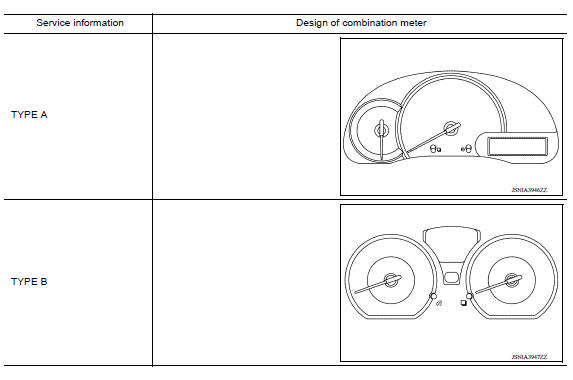
TYPE A
HOW TO USE THIS MANUAL
APPLICATION NOTICE
Information
- Precautions
- System
- Diagnosis system (combination meter)
- Diagnosis and repair workflow
- U1000 CAN Comm circuit
- DTC B2205 Vehicle speed circuit
- B2267 Engine speed
- Power supply and ground circuit
- Fuel level sensor signal circuit
- Washer fluid level switch circuit
- The fuel gauge indicator does not operate
- The oil pressure warning lamp does not turn on
- The low washer fluid warning continues displaying, or does not display
- Combination meter
- Combination meter
- Precautions
- System
- Diagnosis system (combination meter)
- Diagnosis and repair workflow
- U1000 CAN Comm circuit
- DTC B2205 Vehicle speed circuit
- B2267 Engine speed
- Power supply and ground circuit
- Fuel level sensor signal circuit
- Washer fluid level switch circuit
- The fuel gauge indicator does not operate
- The oil pressure warning lamp does not turn on
- The low washer fluid warning continues displaying, or does not display
- Combination meter
- Combination meter
 Battery
Removal and Installation REMOVAL 1. Disconnect the battery negative terminal (1). CAUTION: When disconnecting, disconnect the battery negative terminal first. 2. Disconnect the battery positive ...
Warning chime system (WCS)
HOW TO USE THIS MANUAL APPLICATION NOTICE Information ...
Other materials:
Instrument panel
1. Headlight/turn signal switch/fog light
switch (if so equipped)
2. Driver's supplemental air bag (P. 1-39)
Horn
3. Meters and gauges. Warning and indicator lights
4. Wiper and washer switch
5. Vents
6. Rear window defroster switch
7. Front passenger air bag status light
8. Hazard warn ...
Bluetooth Hands-Free Phone System without Navigation System (Type A) (if so
equipped)
WARNING
Use a phone after stopping your vehicle
in a safe location. If you have to use a
phone while driving, exercise extreme
caution at all times so full attention may
be given to vehicle operation.
If you are unable to devote full attention
to vehicle operation while talking on
...
Categories
- Manuals Home
- Nissan Versa Owners Manual
- Nissan Versa Service Manual
- Video Guides
- Questions & Answers
- External Resources
- Latest Updates
- Most Popular
- Sitemap
- Search the site
- Privacy Policy
- Contact Us

0.0118